CapCut vs Alight Motion: Which Video Editor Is Better in 2026

Choosing between CapCut vs Alight Motion is one of the most common dilemmas for mobile editors in 2026. Both apps are free to start, both run on your phone, and both can produce stunning videos — but they were built for very different kinds of creators. CapCut is the king of quick, trendy edits with ready-made templates, while Alight Motion is a motion-graphics powerhouse loved by editors who animate every frame by hand.
In this guide, we compare the two editors feature by feature — keyframes, templates, pricing, and ease of use — so you can pick the right one for your style. If you want CapCut’s premium features unlocked, check out CapCut Mod APK on our homepage.
Table of Contents
Quick Verdict
Pick CapCut if you want fast, trendy edits for TikTok, Reels, and Shorts with minimal effort — templates, auto-captions, and one-tap effects do the heavy lifting. Pick Alight Motion if you want full creative control: hand-crafted keyframe animation, velocity edits, and motion graphics that look like they came from After Effects. Many serious editors actually use both — CapCut for speed, Alight Motion for signature style.
CapCut vs Alight Motion: Side-by-Side Comparison
| Feature | CapCut | Alight Motion |
|---|---|---|
| Price | Free tier; Pro subscription unlocks premium effects & templates | Free with watermark; subscription removes watermark & unlocks features |
| Watermark | No watermark on basic free exports | Watermark on free exports |
| Keyframe animation | Basic keyframes available | Advanced keyframes with curve/easing controls — its biggest strength |
| Templates | Huge library of viral, ready-made templates | Community presets & XML/shake presets shared by creators |
| Ease of use | Very beginner-friendly | Steeper learning curve, built for dedicated editors |
| Auto-captions & AI tools | Excellent — auto-captions, background remover, AI effects | Limited AI features; focused on manual animation |
| Platforms | Android, iOS, PC, web | Android & iOS (mobile-first) |
| Best for | Trendy social content, fast turnaround | Velocity edits, intros, logo animation, motion graphics |
Key Differences Explained
1. Motion Graphics and Keyframes
This is where the CapCut vs Alight Motion debate is usually decided. Alight Motion gives you professional-grade keyframe controls with easing curves, letting you animate position, scale, rotation, opacity, and effects with precision. It is the go-to app for velocity edits, smooth shakes, and text animations that dominate the edit community.
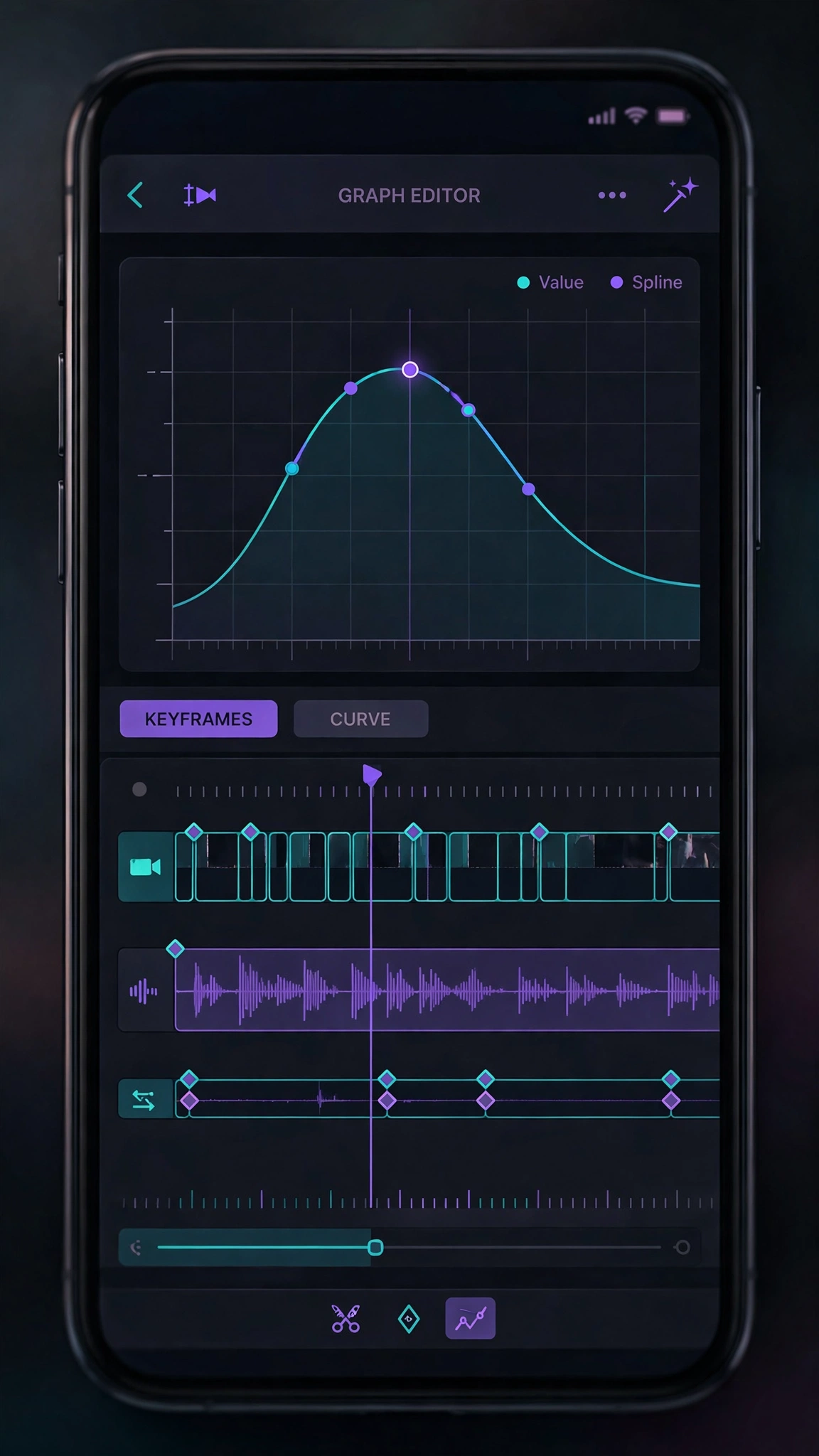
CapCut does have keyframes, but they are simpler — fine for basic zooms and position moves, but not built for the frame-by-frame animation work Alight Motion handles effortlessly.
2. Templates and Speed
CapCut wins on speed in the CapCut vs Alight Motion matchup, and it is not close. Its template library lets you drop in your clips and get a polished, on-trend video in under a minute. Features like auto-captions, background removal, and trending effects mean you can post daily without spending hours editing.

Alight Motion has no built-in viral template feed. Creators share presets (often as XML files or project links), but you are expected to build and tweak the animation yourself. That is slower — but the results are uniquely yours, which is exactly why top edit pages prefer it.
3. Pricing and Watermarks
Both apps are free to start, with honest trade-offs. CapCut’s free tier covers core editing with watermark-free basic exports, but many premium effects, templates, and AI features require a CapCut Pro subscription. Alight Motion’s free version exports with a watermark, and a subscription removes it while unlocking premium effects and higher export quality. Neither app hides this — check what you actually need before paying.
4. Ease of Use
CapCut is designed so a complete beginner can edit within minutes. Alight Motion assumes you want to learn: its interface is denser, with layers, blending modes, and graphs that reward practice. If you enjoy the craft of editing, that depth is a feature, not a flaw. If you just want to post today’s trend before it dies, CapCut’s simplicity wins.
Which Should You Choose?
Here is how to settle the CapCut vs Alight Motion decision based on how you create:
Choose CapCut if: you create TikTok, Reels, or Shorts daily; you rely on templates and trends; you want auto-captions and AI tools; or you are just starting out. For a broader look at how CapCut stacks up against other mobile editors, see our CapCut vs VN and CapCut vs KineMaster comparisons.

Choose Alight Motion if: you make velocity edits, intros, or logo animations; you want full keyframe control; you care about having a recognizable editing style; or you are growing an edit page where originality matters more than speed.
Use both if: you are serious about content — cut and caption in CapCut, then add signature motion graphics in Alight Motion. Browse all our detailed editor comparisons to find your perfect workflow.
Frequently Asked Questions
Is Alight Motion better than CapCut?
Neither is objectively better — they serve different purposes. Alight Motion is better for hand-crafted motion graphics and keyframe animation; CapCut is better for fast, trendy social content with templates and AI tools.
Is Alight Motion free?
Yes, Alight Motion has a free version, but exports carry a watermark. A subscription removes the watermark and unlocks premium features.
Can CapCut do velocity edits like Alight Motion?
CapCut can do basic speed ramping, but the smooth, curve-controlled velocity edits popular in the edit community are much easier and more precise in Alight Motion.
Which app is better for beginners?
CapCut, by a wide margin. Its interface, templates, and one-tap tools are built for beginners, while Alight Motion has a real learning curve.
Do professional editors use Alight Motion?
Many mobile edit pages and freelance motion designers do — it is the closest thing to After Effects on a phone. But plenty of professionals also use CapCut for fast client work and social content.
Final Verdict
The CapCut vs Alight Motion choice comes down to speed versus control. CapCut gets you from idea to posted video faster than anything else, powered by templates and AI. Alight Motion gives you the tools to build a style nobody can copy, powered by real keyframe animation. Start with the one that matches how you create — and do not be surprised if you end up keeping both on your home screen.