How to Fix CapCut “App Not Installed” Error on Android (2026)

Table of Contents
You downloaded the CapCut APK, tapped install, and got a cold little message: “App not installed.” No explanation, no error code. If the CapCut app not installed error is blocking you, here is the short version: it is almost always a signature conflict (another CapCut version is still on your phone), a Play Protect block, or a corrupted APK file. Uninstall every existing copy of CapCut, download a fresh file, and install again — that alone fixes it for most people.
Work through the seven fixes below in order — most people are done in ten minutes.
Why Does CapCut Show “App Not Installed”?
Android checks every sideloaded app before installing — here is what a failed check usually means:
| Cause | What is happening |
|---|---|
| Signature conflict | Another CapCut copy is installed with a different signature — Android refuses to install over it |
| Play Protect block | Google’s scanner flags the sideloaded APK and silently stops the install |
| Corrupted APK | The file downloaded incompletely or got damaged in transfer |
| Low storage | Not enough free space to unpack and install the app |
| Permission missing | Your browser or file manager is not allowed to install apps |
| Android version too old | The APK build needs a newer Android than your phone runs |
Fix 1: Uninstall Every Existing Copy of CapCut (The #1 Fix)
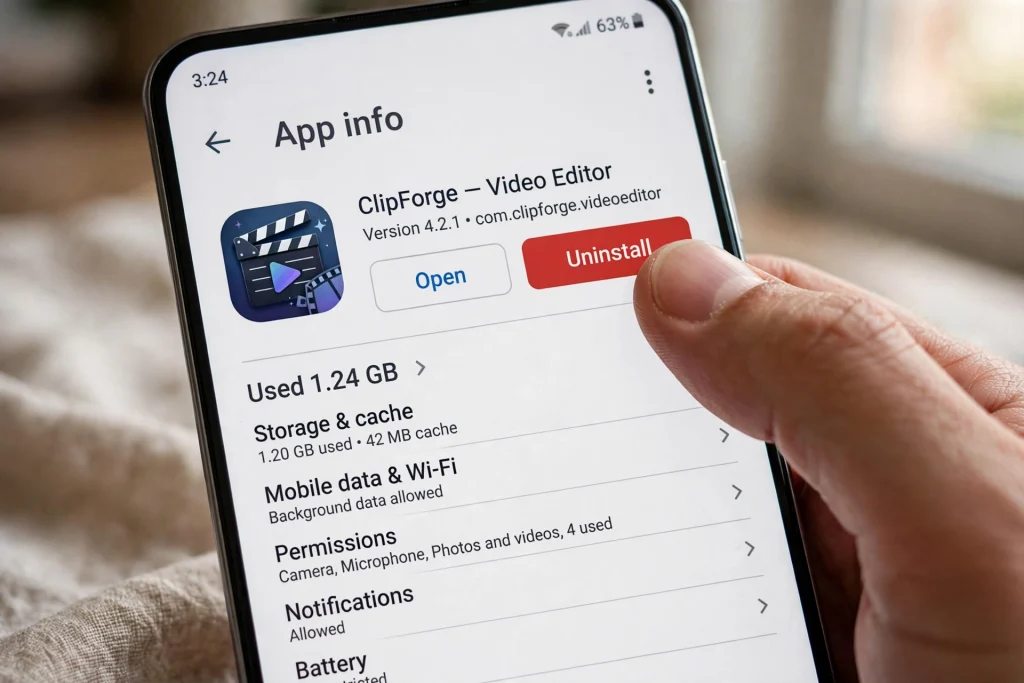
This is the big one. Android signs every app, and will not install a new CapCut over an old one signed differently — exactly what happens when you install a Mod APK with the Play Store version still on your phone. For mod users, the CapCut “app not installed” error is almost always this.
Go to Settings > Apps, find CapCut, and uninstall it completely — on Xiaomi phones with Second Space or Dual Apps, check the other profile too. Then restart your phone and install the fresh APK.
Fix 2: Temporarily Turn Off Play Protect
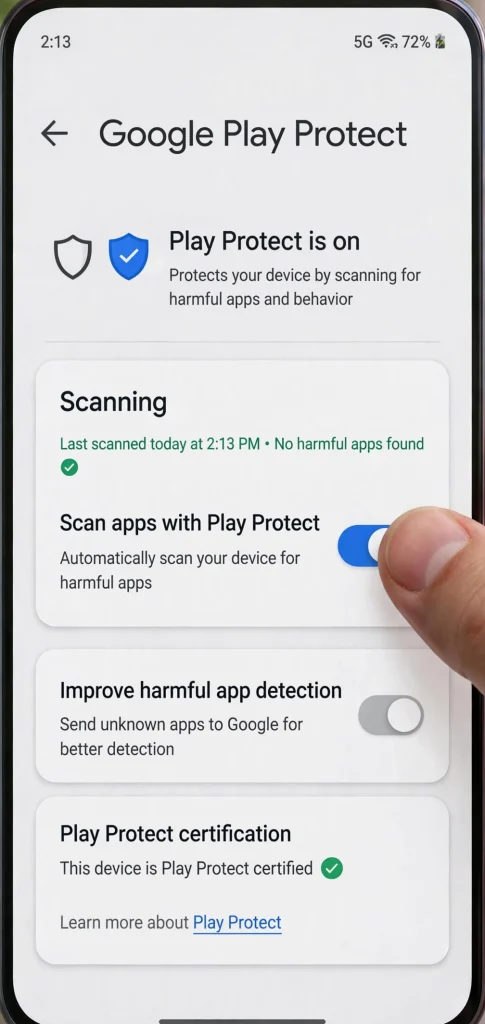
Play Protect often blocks modified APKs with a silent stop — no warning, just “App not installed.” To get past it: open the Play Store, tap your profile icon, go to Play Protect, tap the settings gear, and switch off “Scan apps with Play Protect.” Install CapCut, then switch Play Protect back on immediately. (Why it flags mod APKs is covered in our guide on whether CapCut Mod APK is safe.)
If the CapCut app not installed message disappears the moment Play Protect is off, you have found your culprit.
Fix 3: Re-Download the APK (It May Be Corrupted)
A corrupted download is a common trigger of the CapCut app not installed error. A download that drops for even a second can leave you with a broken APK that looks fine in your file manager but fails every install check. Delete the file, connect to stable Wi-Fi, and download it again. Before installing, compare the file size with the size on the download page — if they do not match, the download did not finish.
Grab a fresh copy from our CapCut Mod APK download page rather than a random mirror.
Fix 4: Clear the Package Installer Cache
Sometimes Android’s own installer holds stale data from a failed attempt. Go to Settings > Apps, tap the three-dot menu, choose Show system apps, find Package Installer, then Storage > Clear cache. Restart your phone and try the install again.
Fix 5: Free Up Storage Space
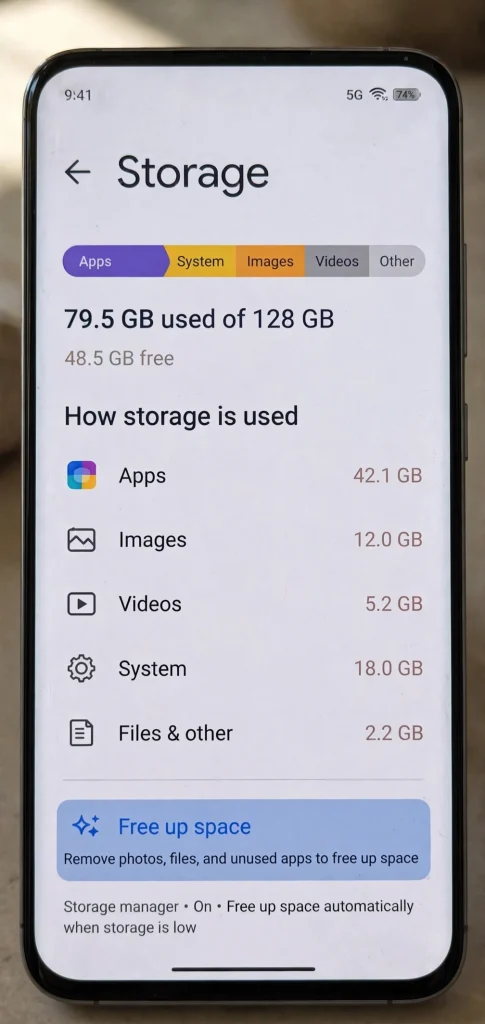
CapCut needs room to unpack during installation — more than the final app size. If your phone is nearly full, Android simply gives up. Aim for at least 1 GB of free space, checked under Settings > Storage, and clear out old downloads or apps you no longer use.
Fix 6: Allow Your Browser or File Manager to Install Apps
On Android 8 and newer, “Unknown sources” became a per-app permission: Settings > Apps > Special app access > Install unknown apps, then allow the app you install from (Chrome, file manager, Telegram).
Fix 7: Check Your Android Version (Or Try an Older Build)
Newer CapCut builds may need a newer Android than your phone runs (Settings > About phone > Android version). If yours is several versions behind, an older CapCut build will install fine. We keep those in our CapCut older versions archive.
Frequently Asked Questions
Why do I get the CapCut app not installed error but other APKs install fine?
Usually a signature conflict with a CapCut version already on your phone, or Play Protect flagging this file — Fix 1 and Fix 2 resolve most cases.
Do I need to root my phone to fix this?
No — every fix in this guide works on a normal, non-rooted phone.
Is “App not installed” the same as a parse error?
No. A parse error means the file is damaged or incompatible. “App not installed” means the file opened fine but Android rejected the install — usually a signature or security issue.
Will uninstalling CapCut delete my drafts?
Local drafts can be lost — export anything important first if you can still open the old version. Account templates and cloud drafts stay tied to your account.
I tried everything and it still fails — what now?
Run the fixes in order without skipping: uninstall all copies (Fix 1), Play Protect off (Fix 2), fresh download on Wi-Fi (Fix 3), installer cache cleared plus restart (Fix 4). If it still fails, your device may be 32-bit while the APK is 64-bit — try the older versions archive in Fix 7.
Final Words
The CapCut app not installed error is rarely a broken phone — usually a signature conflict, a Play Protect block, or a bad download. Start with Fix 1 and you will be editing again in minutes.